On-page octopus
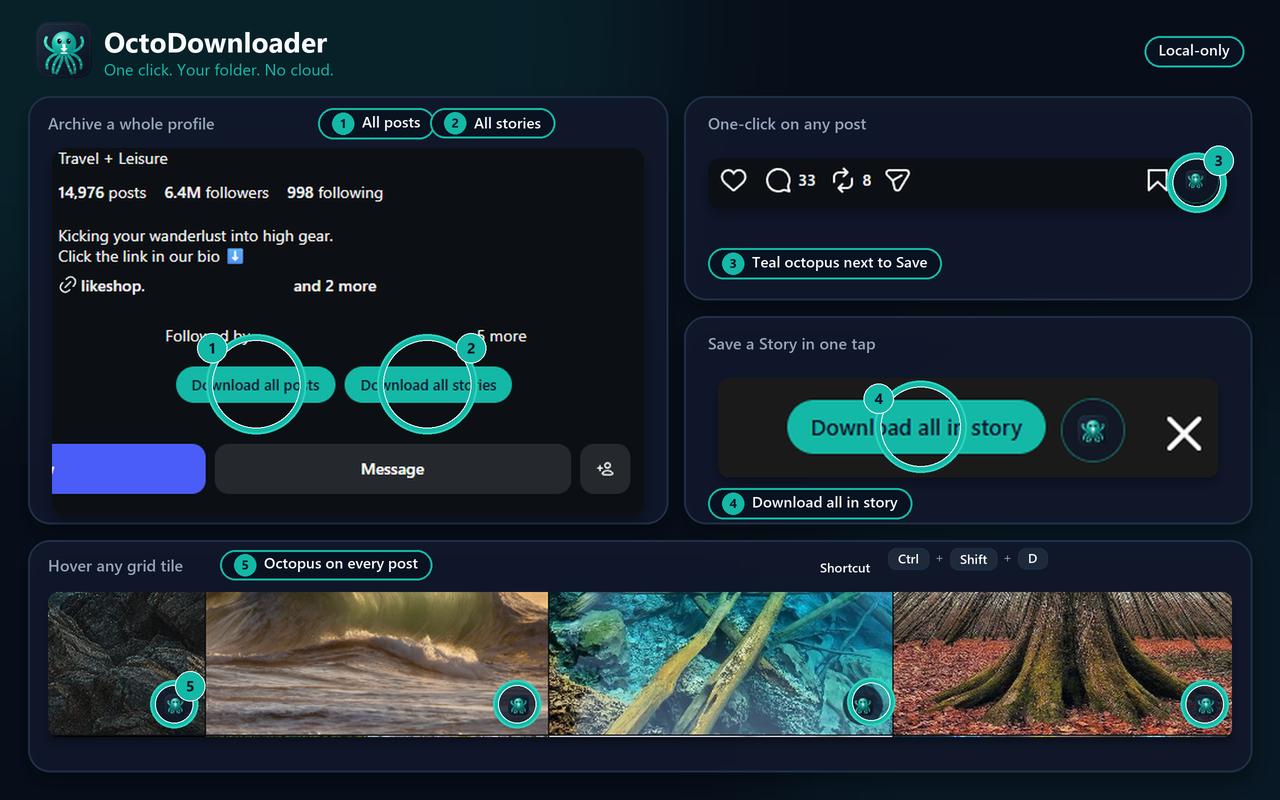
A teal button next to Save on posts and Reels, on grid tiles when you hover, and on Stories.
 OctoDownloader
Save Instagram posts, Reels, Stories, and whole profiles on your computer.
OctoDownloader is a Chrome extension from Netcode. You pick a folder once. Later saves write there with no extra dialogs. There is no OctoDownloader account and nothing is uploaded to us.
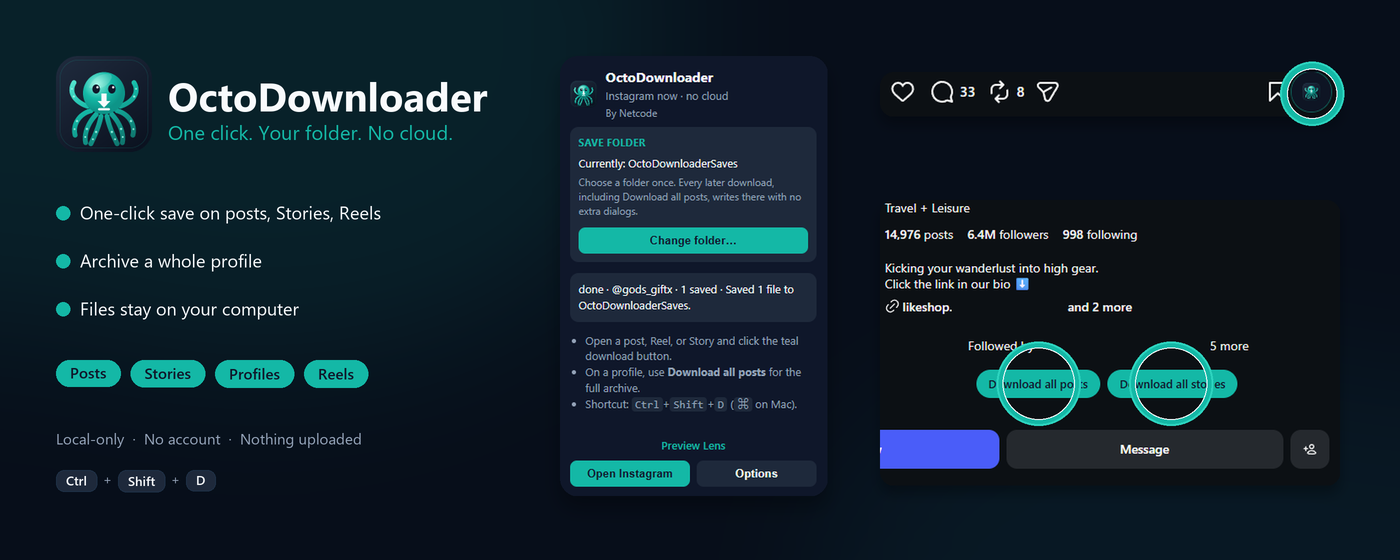
A teal button next to Save on posts and Reels, on grid tiles when you hover, and on Stories.
Download all posts, all stories, or all reels from a profile you can already open. Posts stay in your-folder/username/. Stories go in username/stories/ and reels in username/reels/.
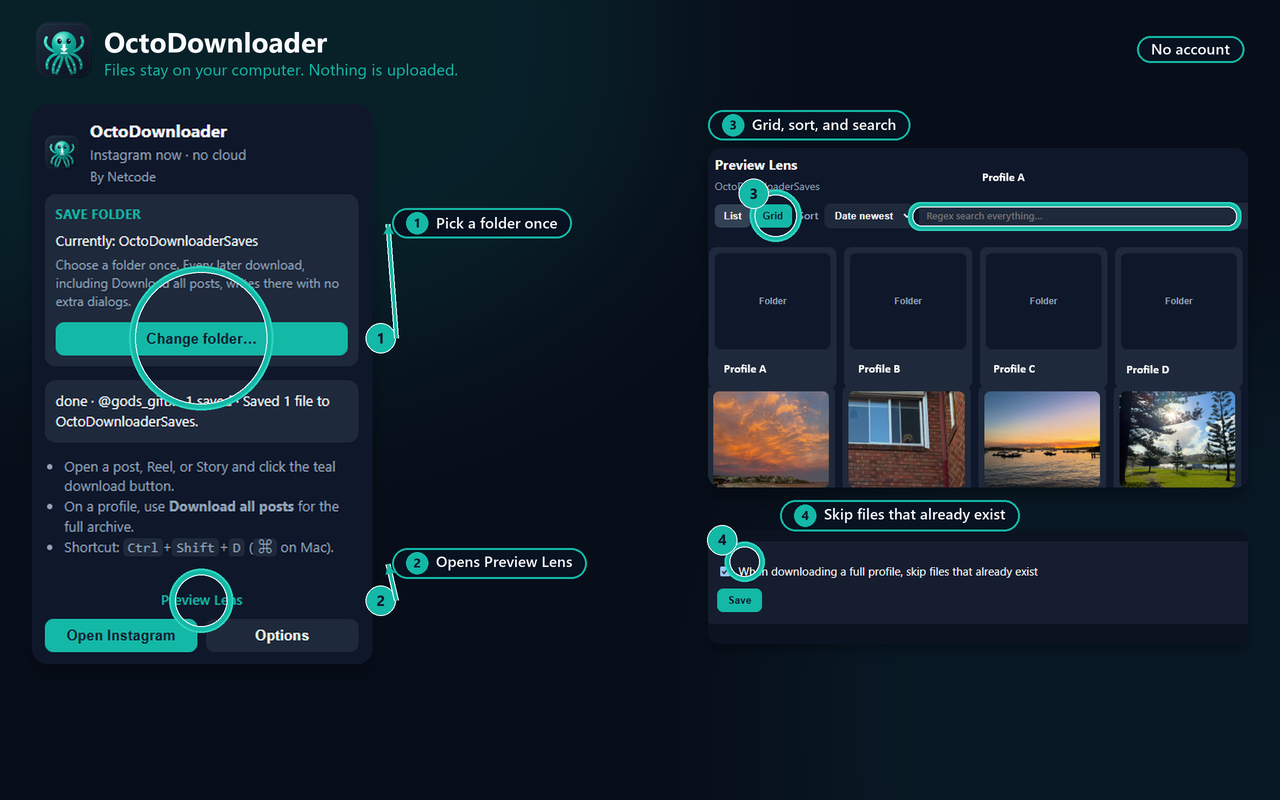
Browse what you saved: grid or list, sort, and regex search. Skip files that already exist.
After install or update, reload every instagram.com tab or the buttons will not appear.
Open the extension popup and choose a save folder. Chrome remembers it.
Use the teal controls, or Ctrl+Shift+D / ⌘+Shift+D on the current post, Reel, or Story.
OctoDownloader is for personal copies of media you can already view. It does not bypass private accounts, logins, or paywalls. Not affiliated with Instagram or Meta Platforms, Inc. Publisher: Netcode.